
Job History
The Job History tab shows a running log of all data synchronization jobs run. It allows users to search by job type and/or status. By default the page is set to automatically refresh. This can be changed to manually by clicking the Auto-refresh: ON toggle button.
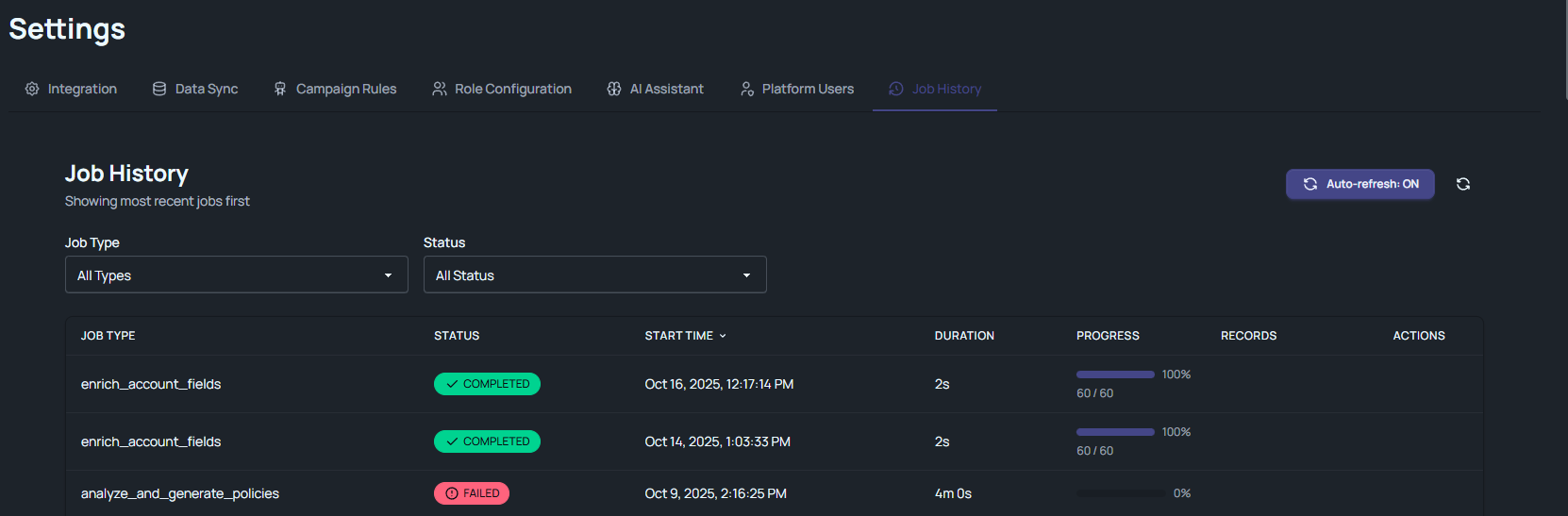
Table data displayed:
- Job Type, for example, Group Sync, Application Sync, etc.
- Status, can be completed, failed, or running.
- Start Time, this is the default column for sorting the data with the newest job entry always on top.
- Duration, the time it took to complete or fail the job.
- Progress, is shown in percentage.
- Records, showing how many records were synchronized as either created or updated.
- Actions, indicates if a sync job was cancelled by a user.