
Requesting Access
When an organization is created in Hydden.Control, the authentication provider configuration allows all accounts authorizing through that OIDC and matching the allowed domains to sign into the tenant. Those users do not automatically have an assigned role in Hydden.Control, but they can request access to the tenant.
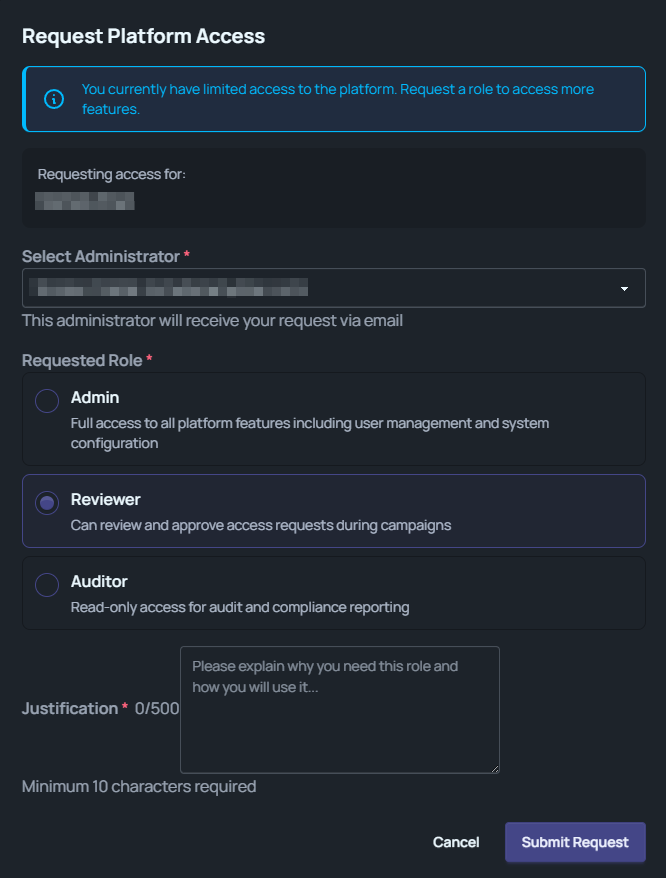
The Request Platform Access modal automatically opens for users that do not have roles assigned. Use the modal to request a role assignment for either:
- Admin,
- Reviewer, or
- Auditor.
At a minimum provide the required data needed to send the access request and use Submit Request to complete the workflow.
If you accidentially cancelled out of the modal, logoff and sign back into the product to relaunch.