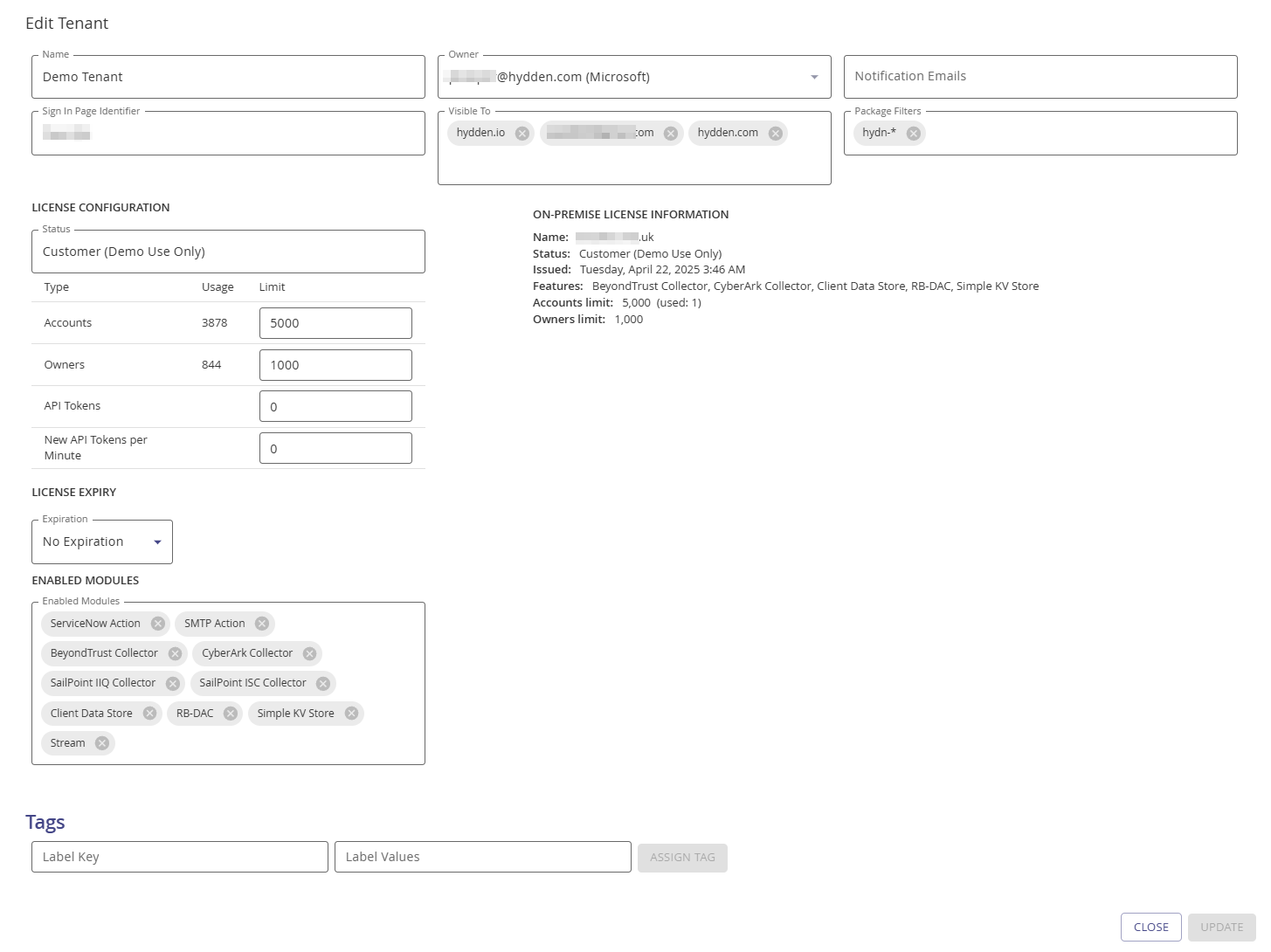
All Tenants - On-prem Only
The All Tenants tab is only available for on-prem customers or Hydden Administrators in a SaaS offering. The Registered Tenants page provides a table grid with details about all tenants created under the primary and an + Add Tenant button to create new tenants.
Why Configure Multi-Tenant Management
Multi-tenant administration capabilities enable organizations and service providers to efficiently manage multiple isolated Hydden instances from a central point. By configuring tenants, license allocations, and feature settings at the platform level, you can:
- Streamline Multi-Customer Operations: For MSPs, service providers, and enterprises managing multiple business units, centrally provision and manage separate tenant instances without redundant administration overhead.
- Control License Distribution: Allocate account discovery limits, owner tracking limits, and API token quotas per tenant, ensuring fair resource distribution and preventing over-consumption.
- Enable Feature Previews: Selectively enable experimental features on specific tenants, allowing you to safely evaluate new functionality before organization-wide rollout.
- Manage Tenant Lifecycle: Create new tenants for new customers or business units, configure their owners and notification settings, and manage the entire deployment from one administrative interface.
- Customize Authentication Per Tenant: Allow each tenant to have its own sign-in page identifier and authentication provider configuration, supporting diverse organizational and security requirements.
- Support On-Prem Deployments: For on-premises installations, manage the primary tenant and all sub-tenants, enabling flexible deployment models that match your organization's structure and governance needs.
Add Tenant (Admin Only)
On-prem customers use the + Add Tenant workflow to add new Tenants.
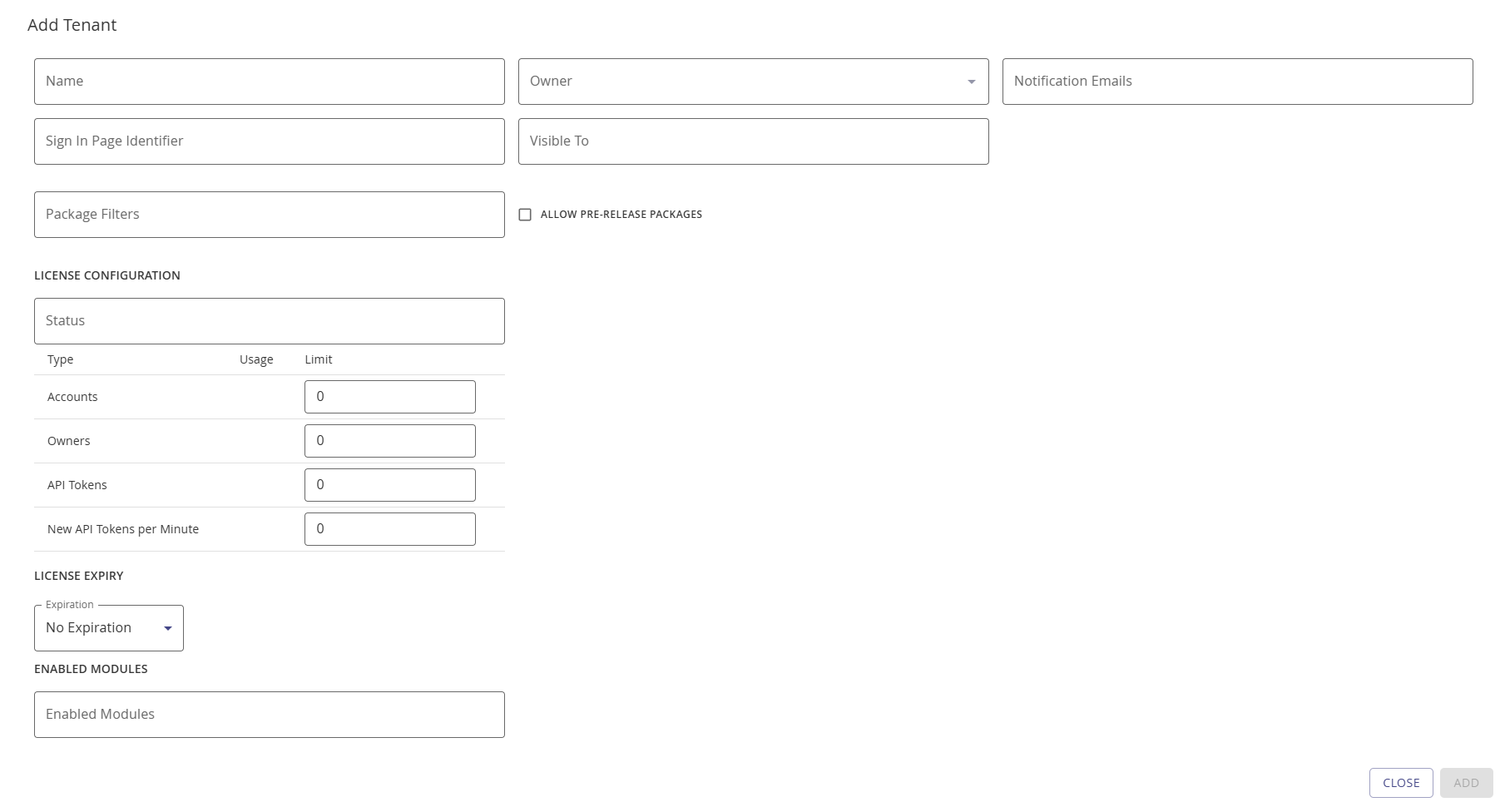
Provide the following information on the Add Tenant modal:
| Field | Description |
|---|---|
| Name | This is the name of the tenant as entered during the initial registration phase or a name for a sub tenant you wish to configure. |
| Owner | This is a drop-down field listing all names of users known to the system. |
| Notification Emails | An email address to which to send the registration requests for access to the tenant. |
| Sign In Page Identifier | Used for private authentication source specific to a tenant. This allows for a sign-in page with one or more authentication providers specific to your organization only. - Generic sign-in URL: https://portal.hydden.com/signin/- Customized sign-in URL for your tenant: https://portal.hydden.com/signin/<your sign-in page identifier>NOTE: This is used during the OpenID Provider setup and the Sign-in Page URL switch is set to on. |
| Visible To | Let's you specify who can use/see this tenant in their tenant selector drop-down on the landing page. This can be a specific user or an organization's domain. |
| Package Filters | Allows you to specify which package downloads are made available in this particular tenant. |
| Allow Pre-release Packages | This checkbox provides an option to enable the deployment of pre-release packages to a tenant. |
| License Configuration | This asks for the License status, Accounts, Owners, API Tokens, and New API Tokens per Minute limits. |
| On-prem License Information | This is an information area only if a subtenant is a on-prem tenant, showing details for the license currently in use. |
| License Expiry | Specify the license expiration term from the drop-down. |
| Enabled Modules | These are the feature modules that are made available for this specific tenant. Mainly used for custom features or feature previews. The "Allow On-Prem" feature flag must be enabled for on-prem tenants. |