
Triggers
Workflows use triggers. Each trigger comes with a set of available variables to be configured for the specific action use case. Below is the list of available triggers and their variables. Use these variables in the respective Payload, Body, or Description text fields on the add/edit workflow modals.
Variables are auto displayed when the { is entered into the Payload/Body/Description field.
For Threat Detection
| Threat detected | Threat resolved |
|---|---|
| {Title} {ThreatID} {ThreatName} {JobTime} {Platform} {Name} {Site} {Status} {Options} {Accounts} {Names} {Ids} {Score} {ActiveAccounts} | "{Title} {ThreatID} {ThreatName} {JobTime} {Platform} {Name} {Site} {Status} {Options} {Accounts} {Names} {Ids} {Score} {ActiveAccounts} |
NOTE
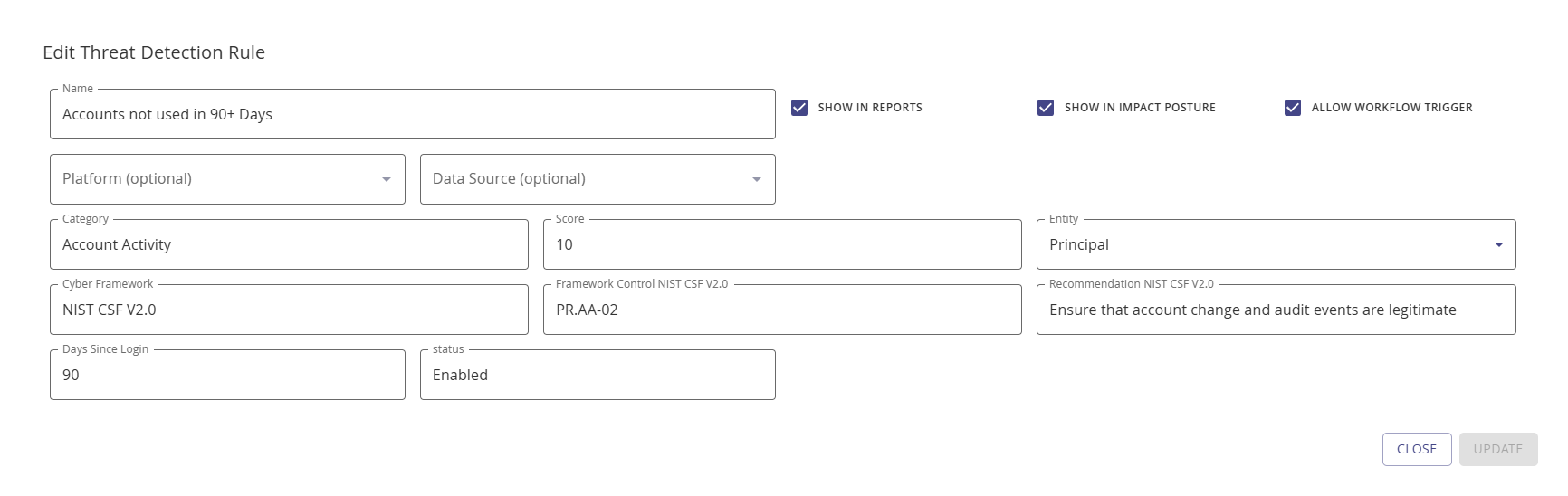
To activate the workflow and threat rule association, enable the Allow Workflow Trigger checkbox on the add/edit Threat Detection Rule modal.
For Collection Status
| Collection successful | Collection failed |
|---|---|
| {Title} {JobID} {JobName} {JobType} {JobTime} {Platform} {Name} {Site} {LastRun} {LastClient} {NextRun} | {Title} {JobID} {JobName} {JobType} {JobError} {JobTime} {Platform} {Name} {Site} {LastRun} {LastClient} {NextRun} |
Data Validation Status
| Data validation successful | Data validation failed |
|---|---|
| {Title} {JobID} {JobName} {JobType} {JobError} {JobTime} {Platform} {Name} {Site} {LastRun} {LastClient} {NextRun} | {Title} {JobID} {JobName} {JobType} {JobTime} {Platform} {Name} {Site} {LastRun} {LastClient} {NextRun} |
Classification Status
| Classification added | Classification removed |
|---|---|
| {Title} {ClassificationID} {ClassificationName} {JobTime} {Platform} {Name} {Site} {Status} {Options} {Accounts} {Names} {Ids} {Score} {ActiveAccounts} | {Title} {ClassificationID} {ClassificationName} {JobTime} {Platform} {Name} {Site} {Status} {Options} {Accounts} {Names} {Ids} {Score} {ActiveAccounts} |