
Clients
The Clients tab provides an overview of configured Clients on the Hydden platform. It is also the entry point into the add client configuration workflow.
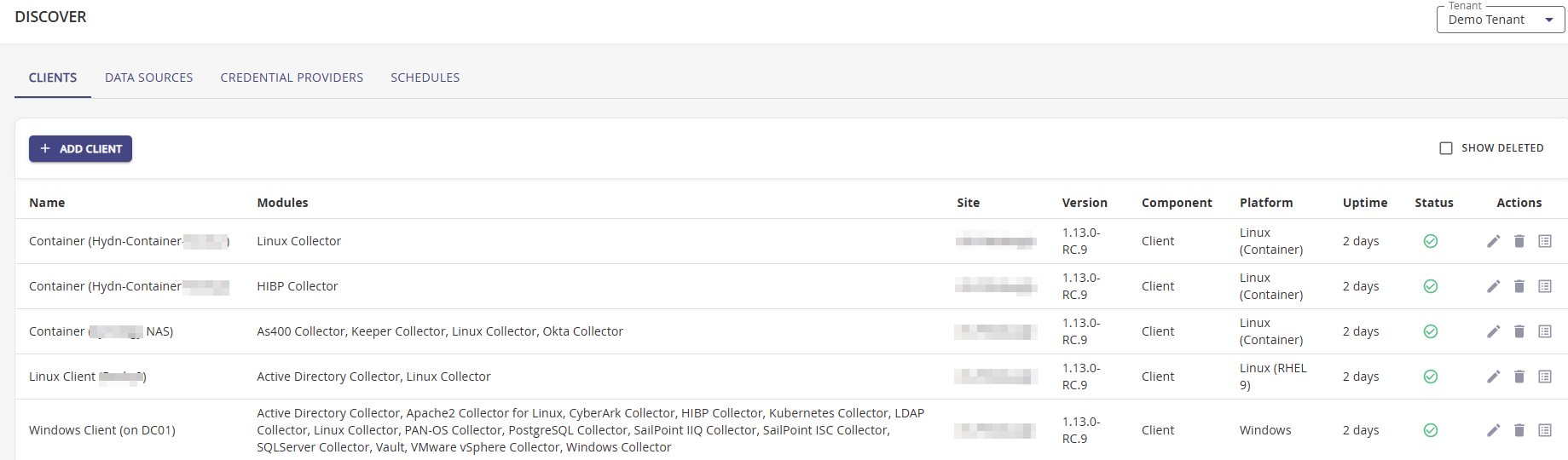
Information from all bootstrapped clients is displayed on this page. Complete details about the client deployment process are covered under the Getting Started section, specifically refer to the Client Deployment topics.
Adding a Client
- To add a client use + Add Client.
- Enter the Join Code from the bootstrap process.
- From the Template drop-down, select the client template if available, this can be added later.
- Click Register.
Editing a Client Configuration
If the Site and/or Modules data isn't specified during the Client Registration process or the data needs to change, users may configure the data on the Clients page.
- Navigate to Configuration | Discover | Clients.
- From the table choose the client with missing or outdated data and click the Edit button (refer to the red box in the above image).
- On the Edit Client modal, add or edit the Site information, and add or remove any of the Modules.
- Click Update.