
User Interface Reference
UI Reference
Every Hydden tenant has a main dashboard showing the overall Identity Posture of an organization based on the data collected for that organization:
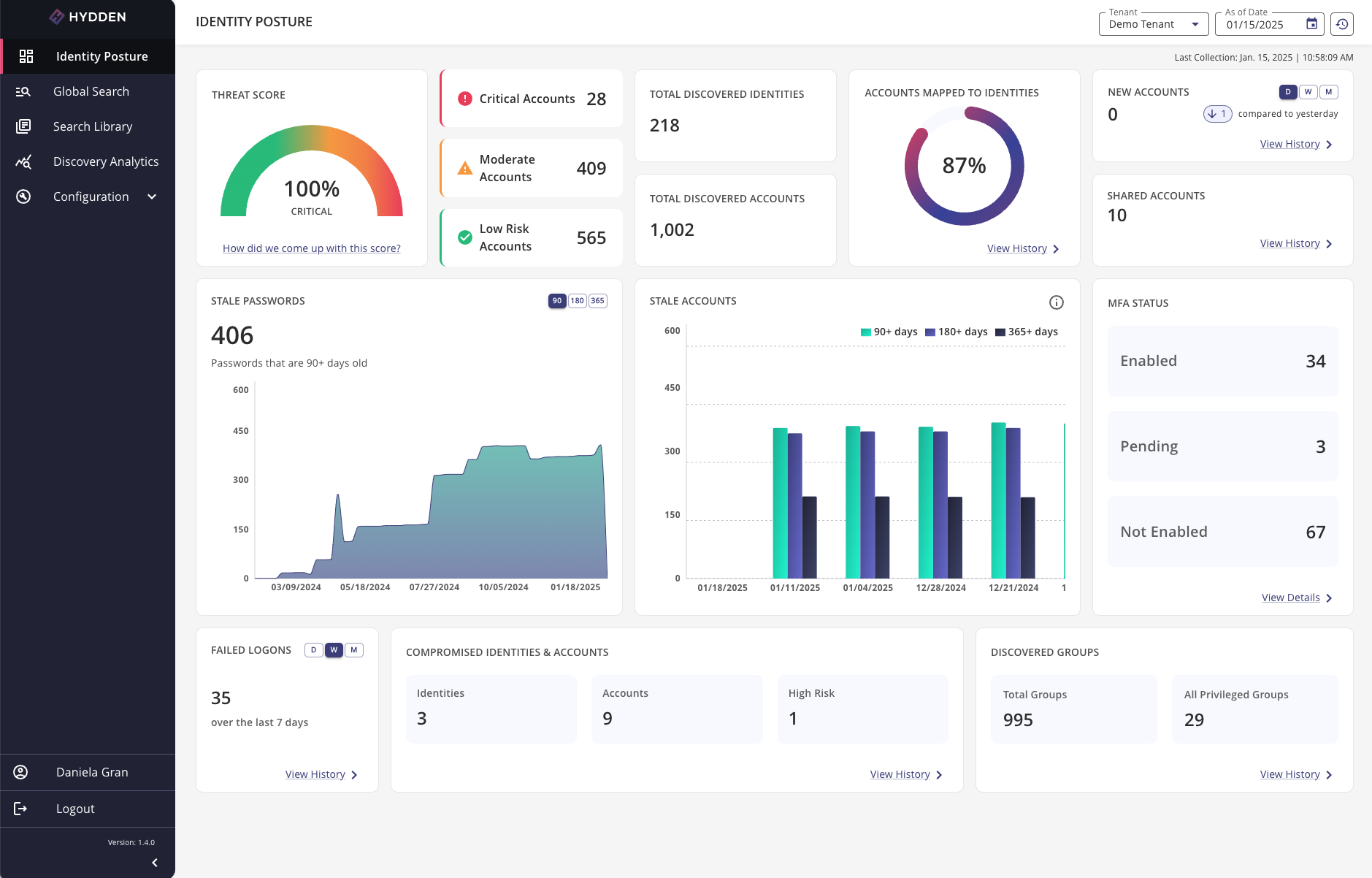
Use the left navigation panel to navigate to other pages in the Hydden portal
- Identity Posture
- Global Search
- Search Library
- Discovery Analytics
- Configuration
- Documentation: This menu option opens the technical documentation articles for the Hydden Platform.
- User Profile
- Logout
- Platform version reference
Use the chevron (< or >) on the bottom of the navigation panel to expand and minimize the panel. To view the full configuration menu options use the down chevron to unfold the remaining menu items.
To sign out use Logout in the panel.
Multi-tenant Environment
Users that have access to a multi-tenant environment with their organization can switch between their tenants using the Tenant drop-down next to the top-right date reference field.

The Tenant field is not available in single-tenant environments. Users will only see the As of date and Reset to current time button on their page.
Manual Collection
Use the Reset to current time button in the top-right corner of the page to start a manual data collection.
If the calendar icon shows a red dot, it indicates that new data is available based on a recent data collection.