
Automate
Under the Automate configuration section, users can add Providers and Workflows to trigger actions on discovered account data.
Currently supported notifications/actions are:
- Email-based, refer to the general documentation topics for Providers and Workflows configuration to see examples for:
- Sendgrid
- SMTP
- ServiceNow: Ticket creation action in ServiceNow.
- Webhook: Any webhook-based integration endpoints.
- Add to Vault: Configuration of provider, workflow, and triggers for PAM integrations.
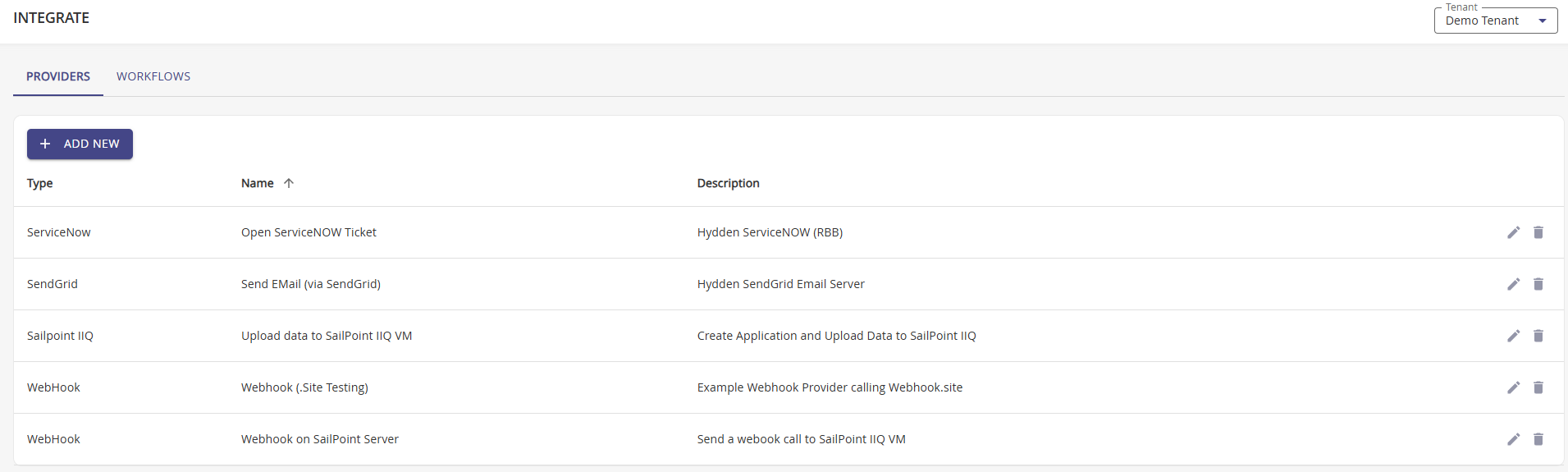
Refer to the Triggers topic for the list of available triggers and details of available notification variables.
Why Configure Automation
Automation transforms Hydden from a discovery and monitoring platform into an active security control by enabling immediate, consistent responses to discovered accounts and threats. By configuring action providers and workflows, organizations can:
- Accelerate Security Response: Automatically notify relevant teams, create tickets, or trigger remediation workflows in real-time, reducing the time between discovering a risk and taking action.
- Ensure Consistent Enforcement: Define standardized workflows that apply consistent policies across all discovered accounts, eliminating manual process inconsistencies and human error.
- Integrate with Existing Tools: Connect Hydden to your existing security and IT operations tools—ServiceNow, PAM systems, email providers—enabling seamless integration into your existing workflows.
- Enable Closed-Loop Remediation: For supported systems like PAM vaults, automatically onboard or move accounts to reduce manual administrative overhead.
- Scale Security Operations: Replace manual intervention with automated actions, enabling security teams to manage more accounts and threats with the same resources.